
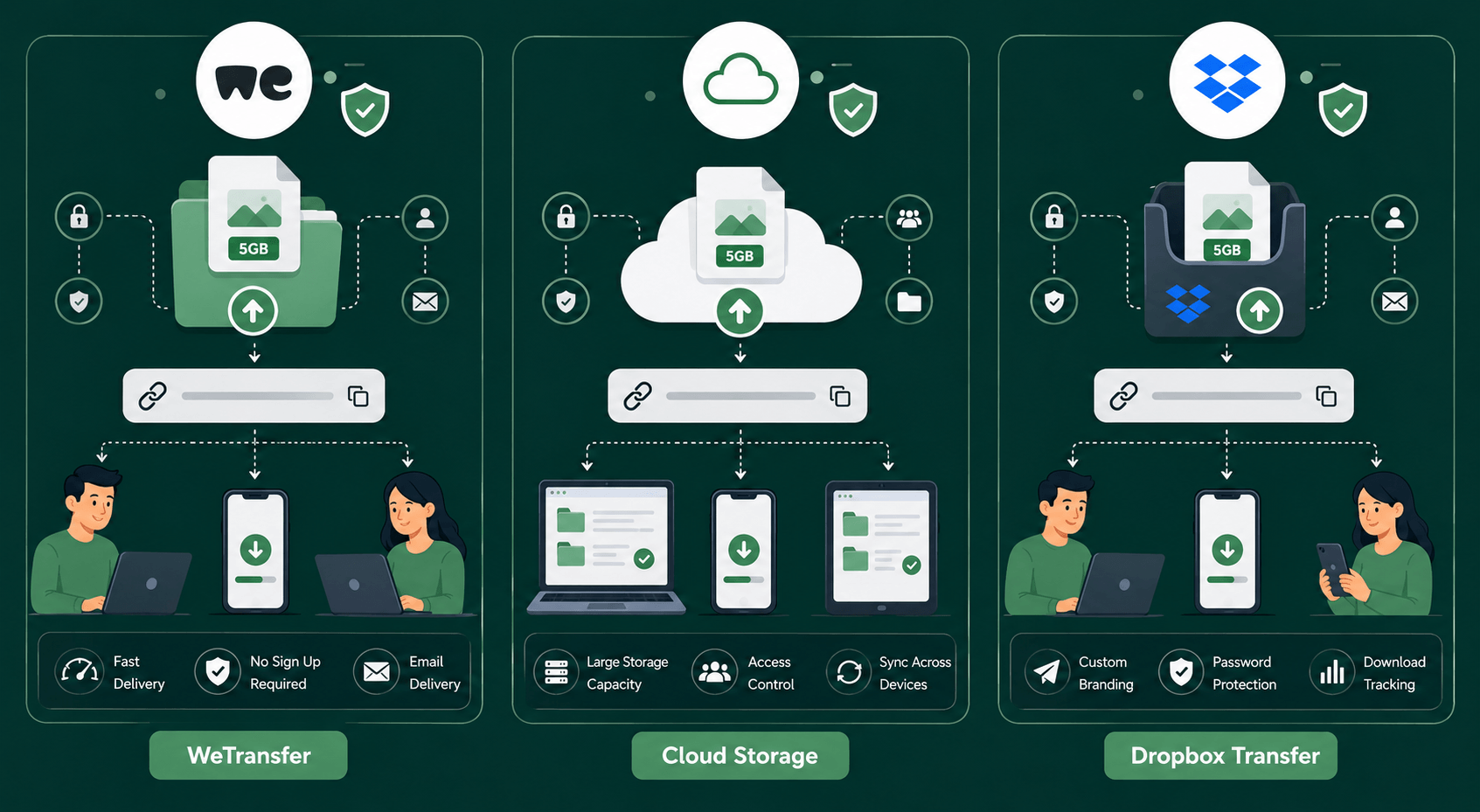
When you need to send large files, email attachments often aren’t enough. That’s where services like WeTransfer, Google Drive, and Dropbox Transfer come in. All three make file sharing easier, but they are designed for different types of users and workflows.
Some focus on quick one-time transfers, while others are built around long-term cloud storage and collaboration. Choosing the right option can save time, improve security, and make sharing files much more convenient.
This guide compares WeTransfer, Google Drive, and Dropbox Transfer to help you determine which service is best for your needs.
Understanding the Three Services
Although these platforms all help users share files, they operate differently.
WeTransfer
WeTransfer is primarily a file transfer service.
Its main goal is simple: upload a file, generate a link, and send it to someone else. Files are usually stored temporarily and are intended for one-time delivery rather than long-term storage.
Google Drive
Google Drive is a cloud storage platform.
Users upload files to cloud storage and can generate sharing links whenever needed. Files remain available until they are deleted by the owner.
Dropbox Transfer
Dropbox Transfer is a specialized sharing tool built on top of Dropbox.
Unlike regular Dropbox folders, Dropbox Transfer is designed specifically for sending files rather than collaborative storage. Recipients can download files without gaining access to your main Dropbox workspace.
Each service solves a slightly different problem.
Ease of Use
For simplicity, WeTransfer is difficult to beat.
The process usually involves:
- Uploading files.
- Generating a transfer link.
- Sending the link.
No complicated folder structures or account management is required for basic usage.
Google Drive requires slightly more setup because files must be uploaded into storage folders before sharing.
Dropbox Transfer sits somewhere in the middle. It provides a dedicated transfer workflow while still benefiting from Dropbox’s file management system.
For quick, one-time sharing:
- WeTransfer wins for simplicity.
- Dropbox Transfer comes second.
- Google Drive is slightly more complex but offers additional features.
Storage vs File Transfer
This is one of the biggest differences between the platforms.
WeTransfer
Designed for temporary transfers.
Best for:
- Delivering files to clients
- Sharing large videos
- Sending completed projects
Not ideal for long-term storage.
Google Drive
Designed for permanent cloud storage.
Best for:
- Document management
- Team collaboration
- Long-term file access
- Backup storage
Dropbox Transfer
Designed specifically for file delivery.
Best for:
- Client handoffs
- Large file transfers
- Professional deliveries
It combines transfer-focused features with Dropbox’s broader ecosystem.
Feature Comparison
Google Drive Strengths
- Long-term storage
- Collaboration tools
- Shared folders
- Real-time editing
- Large ecosystem integration
Dropbox Transfer Strengths
- Professional file delivery
- Download tracking
- Password protection
- Expiration controls
- Clean recipient experience
WeTransfer Strengths
- Extremely simple workflow
- Fast setup
- No complex account management
- Excellent for one-time transfers
The best option depends on whether you need storage or delivery.
Security and Privacy
Security matters whenever files are shared online.
All three services provide secure file transfers, but their approaches differ.
Google Drive
Offers:
- Permission controls
- Restricted sharing
- Two-factor authentication
- File ownership management
Dropbox Transfer
Offers:
- Password protection
- Download tracking
- Expiring transfers
- Secure sharing links
WeTransfer
Offers:
- Encrypted transfers
- Password protection on certain plans
- Temporary file availability
For professional workflows involving clients, Dropbox Transfer often provides the strongest delivery-focused security controls.
Which Is Best for Large Files?
Large file sharing is where these services often compete directly.
Choose WeTransfer if:
- You need to send a large file quickly.
- Long-term storage isn’t important.
- You want the simplest possible workflow.
Choose Google Drive if:
- You need ongoing access to files.
- Multiple people require collaboration.
- Storage and sharing are equally important.
Choose Dropbox Transfer if:
- You deliver files professionally.
- Client downloads need tracking.
- You want greater control over transfers.
Creative professionals, photographers, videographers, and agencies often prefer Dropbox Transfer because of its delivery-focused features.
Students and teams frequently prefer Google Drive because of collaboration capabilities.
Occasional users often choose WeTransfer because of its simplicity.
Common Use Cases
Freelancers
Best choice: Dropbox Transfer
Professional delivery tools create a better client experience.
Students
Best choice: Google Drive
Collaboration and document editing make academic work easier.
Remote Teams
Best choice: Google Drive
Shared folders and real-time editing improve teamwork.
One-Time File Sharing
Best choice: WeTransfer
Quick uploads and simple downloads are ideal for occasional transfers.
Creative Agencies
Best choice: Dropbox Transfer
Transfer tracking and presentation features support professional workflows.
Which Service Should You Choose?
Choose WeTransfer if:
- Simplicity matters most.
- You rarely share files.
- You need quick transfers.
Choose Google Drive if:
- You need cloud storage and sharing.
- Collaboration is important.
- You want a long-term solution.
Choose Dropbox Transfer if:
- You deliver files professionally.
- You want download tracking.
- Client-facing transfers are common.
Each platform performs well within its intended purpose.
Conclusion
WeTransfer, Google Drive, and Dropbox Transfer all solve file-sharing challenges, but they target different needs. WeTransfer focuses on quick, temporary transfers. Google Drive combines storage, collaboration, and sharing into a complete cloud platform. Dropbox Transfer specializes in professional file delivery with additional controls and tracking.
If you’re looking for the simplest way to send a large file, WeTransfer is often the fastest solution. If collaboration and long-term storage matter, Google Drive is the stronger choice. For freelancers, agencies, and professionals delivering files to clients, Dropbox Transfer provides the most polished delivery experience.
Understanding these differences makes it easier to choose the right tool and avoid unnecessary complexity when sharing large files.