
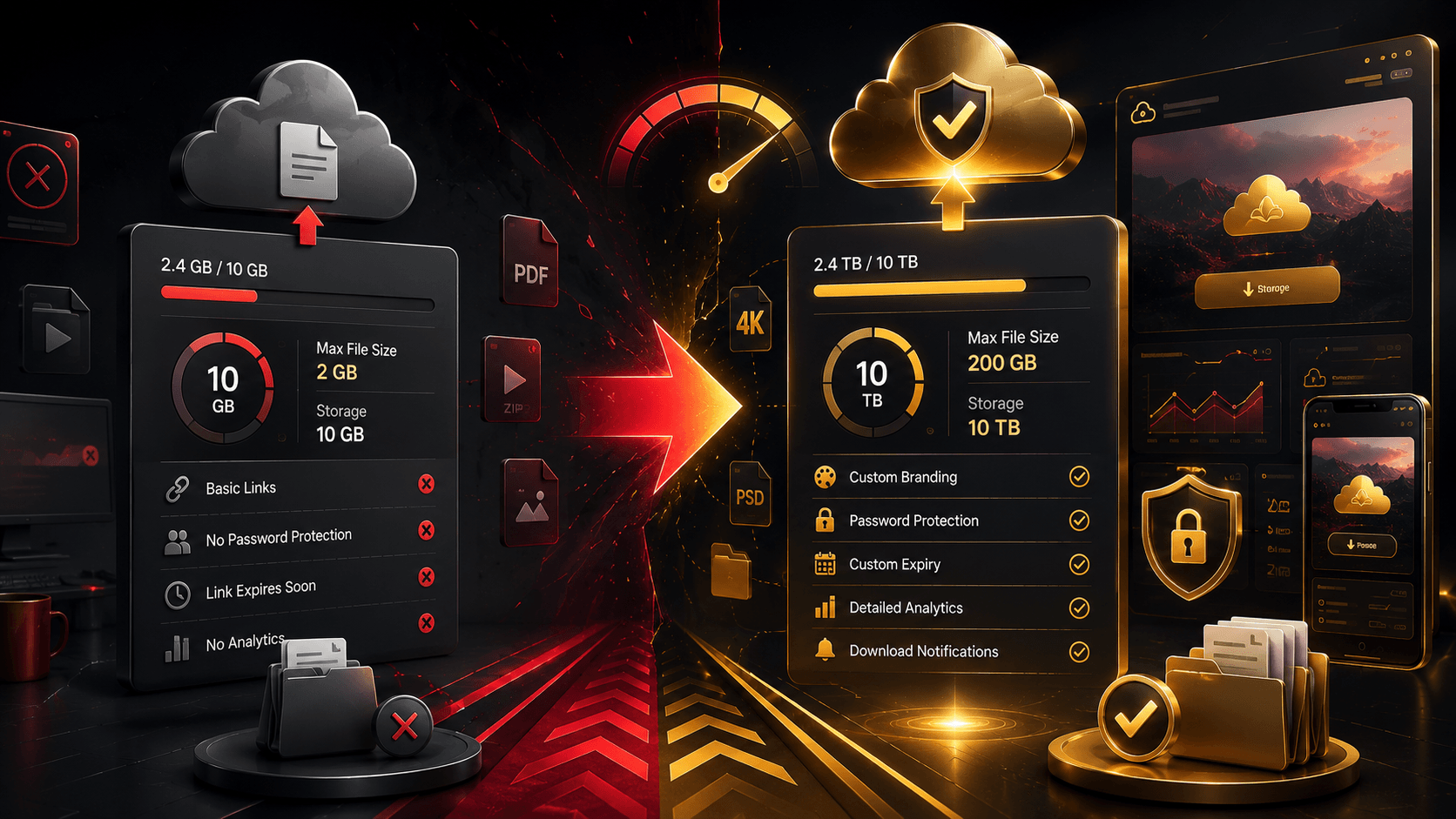
WeTransfer has become one of the most popular file-sharing services in the world. Its simple upload-and-share approach makes it easy to send large files without dealing with complicated cloud storage systems or email attachment limits.
For many users, the free plan is more than enough. However, professionals, freelancers, photographers, videographers, and businesses often wonder whether upgrading to a paid plan is worth the extra cost.
This guide compares WeTransfer Free and Pro features in 2025 to help you decide which option best fits your needs.
What Is WeTransfer?
WeTransfer is a file transfer platform designed to make sharing large files simple.
Instead of attaching files to emails, users upload files and generate a download link that can be shared with recipients.
The service is popular because it offers:
- Simple user interface
- Fast file transfers
- No complicated setup
- Large file support
- Cross-platform access
Unlike traditional cloud storage platforms, WeTransfer focuses primarily on file delivery rather than long-term file management.
What Does the Free Plan Offer?
The free version of WeTransfer is designed for occasional users.
Key benefits typically include:
- No subscription required
- Quick file transfers
- Easy sharing links
- Basic transfer management
The free plan works well for:
- Students
- Casual users
- Small file transfers
- Occasional project sharing
If you only send large files a few times each month, the free version may provide everything you need.
Its simplicity is one of the reasons it remains popular.
Limitations of the Free Plan
While the free plan is useful, it does come with restrictions.
Common limitations include:
- Lower transfer size limits
- Temporary file availability
- Limited customization
- Fewer security options
- No professional branding
For occasional users, these limitations are rarely a problem.
However, businesses and creative professionals may quickly encounter these restrictions when handling larger projects.
As file sizes grow, free plan limitations become more noticeable.
What Does WeTransfer Pro Include?
The Pro plan is designed for professionals and businesses that share files regularly.
Additional features often include:
- Larger transfer limits
- Increased storage capacity
- Custom branding
- Password protection
- Extended file availability
- Advanced sharing controls
These features create a more professional experience for both senders and recipients.
For client-facing work, presentation matters just as much as functionality.
Branded download pages and advanced controls help create a stronger professional image.
File Size Differences
One of the biggest reasons people upgrade is transfer size.
Large creative projects frequently exceed the limits of free plans.
Examples include:
- Wedding photography galleries
- 4K video projects
- Design packages
- Marketing assets
- Production files
Professionals working with large media files often need the higher transfer limits available through paid plans.
If your files regularly exceed free plan restrictions, upgrading may save significant time and frustration.
Storage and File Management
The free plan focuses mainly on temporary transfers.
Pro users generally gain access to additional storage and file management tools.
Benefits include:
- Better project organization
- Reusable file storage
- Easier client deliveries
- Improved workflow efficiency
For freelancers and agencies delivering projects frequently, built-in storage can simplify operations considerably.
Instead of repeatedly uploading the same files, stored content can be managed more efficiently.
Security Features
Security becomes increasingly important when sharing client files.
Professional users often require:
- Password-protected transfers
- Controlled access
- Secure download links
- Enhanced privacy settings
While the free plan offers basic protection, premium features provide greater control over how files are accessed and shared.
This is especially valuable when handling confidential business information or commercial projects.
Security alone can justify the upgrade for some users.
Branding and Professional Appearance
One feature many freelancers overlook is branding.
Pro plans often allow users to customize the recipient experience.
Examples include:
- Custom backgrounds
- Company logos
- Branded download pages
- Personalized sharing experiences
These features help reinforce a professional image and create a better client experience.
For agencies and creative professionals, branded delivery pages can strengthen brand recognition and credibility.
Who Should Stay on the Free Plan?
The free plan is usually sufficient if:
- You send files occasionally.
- Your projects are relatively small.
- You don’t need custom branding.
- You aren’t managing multiple client deliveries.
Many casual users never encounter the limitations of the free plan.
If your workflow is simple, there may be little reason to upgrade.
Who Should Upgrade to Pro?
A paid plan is often worthwhile if you:
- Share large files regularly.
- Work with clients.
- Deliver creative projects.
- Need stronger security controls.
- Want branded delivery pages.
- Require larger storage capacity.
Professionals who send files daily often benefit from the additional features and improved workflow.
The time saved alone can justify the subscription cost.
Common Alternatives to Consider
Before upgrading, it may also be worth comparing alternatives.
Popular options include:
- Google Drive
- Dropbox
- MEGA
- OneDrive
- Box
Unlike WeTransfer, many of these services focus on long-term storage and collaboration rather than pure file delivery.
The best choice depends on your workflow.
Some users even combine cloud storage and WeTransfer for different purposes.
Conclusion
The free version of WeTransfer remains one of the easiest ways to send large files online. For occasional use, it offers a simple and effective solution without requiring a subscription.
However, professionals who regularly deliver large projects, manage client work, or require stronger security and branding features may find the Pro plan well worth the investment. The additional transfer capacity, storage, customization options, and workflow improvements can make a significant difference for users who rely on file sharing as part of their daily business operations.
Ultimately, the decision comes down to how often you share files and whether professional features provide enough value to support your workflow.