
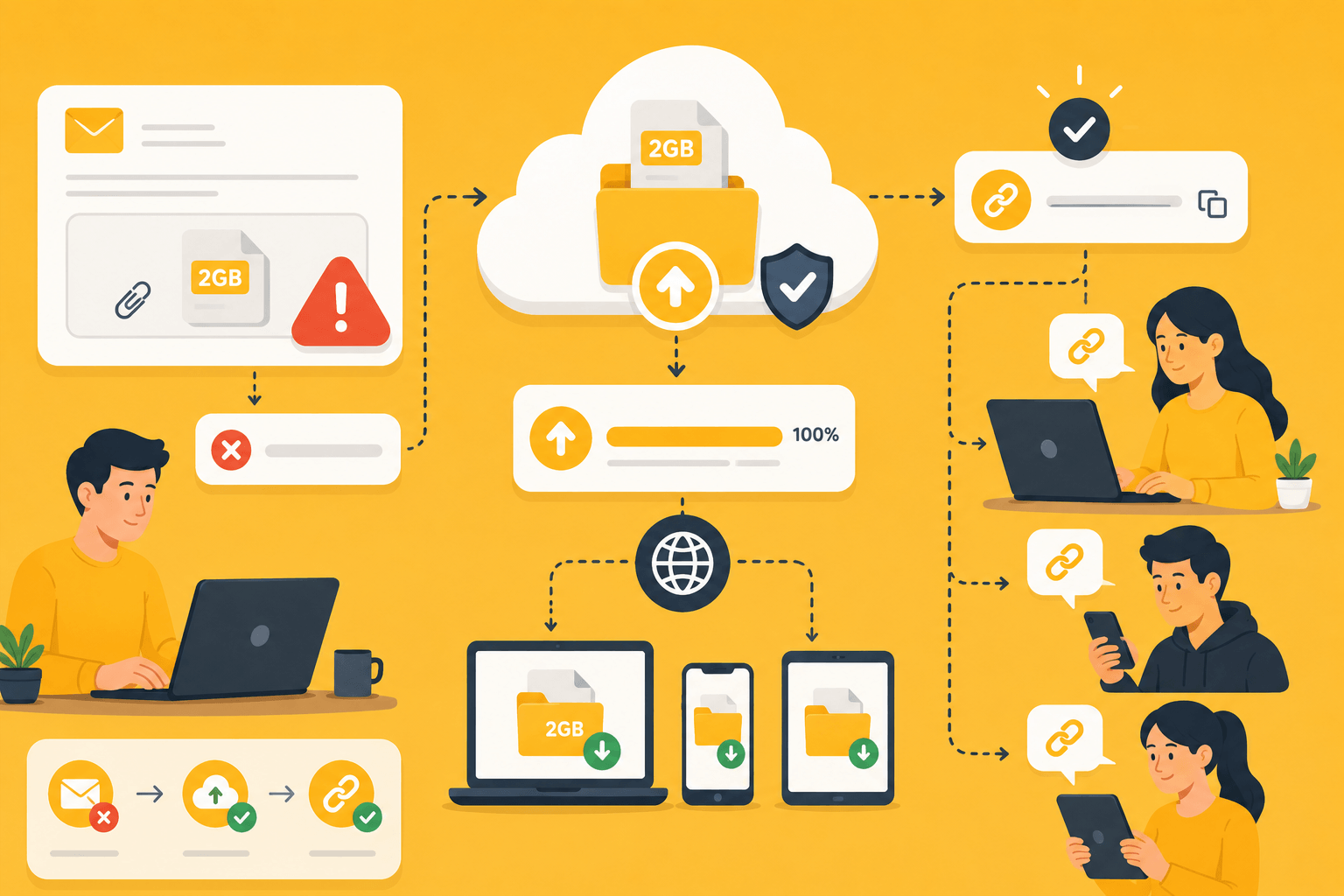
Trying to attach a large file to an email can quickly become frustrating. You select the file, click send, and then receive an error message saying the attachment exceeds the allowed size limit.
This problem affects millions of users every day. High-resolution photos, videos, design files, software packages, and project archives can easily exceed email attachment limits. Fortunately, there are several simple ways to send large files without reducing quality or splitting them into dozens of smaller attachments.
This guide explains the best methods for sending files that are too large for email and helps you choose the right solution for different situations.
Why Email Has File Size Limits
Email was originally designed for messages, not massive file transfers.
Most email providers limit attachment sizes to prevent:
- Server overload
- Slow message delivery
- Excessive storage usage
- Spam and abuse
Common attachment limits include:
- Gmail: approximately 25 MB
- Outlook: approximately 20 MB
- Yahoo Mail: approximately 25 MB
These limits may seem reasonable for documents and images, but they become restrictive when sharing videos, presentations, backups, or project files.
Even a short HD video can exceed the attachment limit of most email services.
Use Cloud Storage Services
One of the easiest solutions is uploading the file to cloud storage and sharing a link instead of the file itself.
Cloud storage services allow users to:
- Upload large files
- Generate sharing links
- Control permissions
- Access files from multiple devices
The process is simple:
- Upload the file.
- Create a shareable link.
- Send the link through email.
The recipient clicks the link and downloads the file directly.
Benefits include:
- No email attachment limits
- Easy file updates
- Long-term access
- Secure sharing options
This method is ideal for documents, videos, presentations, and collaborative projects.
Use Dedicated File Transfer Services
If you only need to send a file once, a dedicated file transfer service may be the better choice.
These platforms are designed specifically for transferring large files.
Typical workflow:
- Upload the file.
- Generate a download link.
- Send the link to the recipient.
Advantages include:
- Fast uploads
- Large file support
- Simple user experience
- No permanent storage required
Many transfer services automatically delete files after a certain period, making them useful for temporary deliveries.
Freelancers, designers, photographers, and businesses frequently use these services when sending completed projects.
Compress Files Before Sending
File compression can reduce file sizes and make transfers more manageable.
ZIP archives are particularly useful when:
- Sending multiple files
- Organizing folders
- Adding password protection
- Reducing transfer size
Benefits of ZIP compression include:
- Easier file management
- Smaller uploads
- Faster transfers
- Improved organization
Compression works best for documents and certain project files.
Media files such as MP4 videos and JPG images are already compressed, so size reductions may be limited.
Even when compression doesn’t dramatically reduce size, combining multiple files into a single archive often simplifies sharing.
Split Extremely Large Files
Some files are simply too large for standard sharing methods.
Examples include:
- 4K video projects
- Database backups
- Software distributions
- Large design archives
In these situations, file-splitting tools can divide a large file into smaller parts.
The recipient downloads all parts and reconstructs the original file afterward.
Advantages include:
- Easier uploads
- Better compatibility with size limits
- Improved transfer flexibility
This method is generally reserved for very large files because it requires additional steps for both sender and recipient.
Protect Large Files Before Sharing
Large files often contain valuable information.
Before sharing, consider adding security measures such as:
- Password protection
- Encrypted ZIP archives
- Expiring links
- Download limits
- Restricted access permissions
These features help prevent unauthorized access.
For sensitive business documents, contracts, financial records, or personal information, security should be treated as a priority rather than an afterthought.
A secure file-sharing process protects both the sender and recipient.
Common Mistakes to Avoid
Many users encounter unnecessary problems when sharing large files.
Common mistakes include:
- Attempting to email huge attachments repeatedly
- Using public sharing links unintentionally
- Forgetting file permissions
- Uploading over unstable internet connections
- Sending files without verifying successful uploads
- Ignoring file expiration settings
A few minutes of preparation can prevent failed transfers and support requests later.
Always confirm that the uploaded file is accessible before sending download links.
Which Method Is Best?
The best method depends on the file size and intended use.
Choose cloud storage if:
- Files need long-term access.
- Multiple people require access.
- Collaboration is important.
Choose file transfer services if:
- You need one-time delivery.
- The file is very large.
- Simplicity is the goal.
Choose ZIP archives if:
- Multiple files must be grouped together.
- Password protection is needed.
- Better organization is desired.
Many users combine these methods for maximum flexibility.
For example, a password-protected ZIP archive can be uploaded to cloud storage and shared through a secure link.
Tips for Faster Large File Transfers
To improve upload and download performance:
- Use a stable internet connection.
- Avoid heavy network usage during transfers.
- Upload during off-peak hours.
- Enable resumable uploads when available.
- Verify storage limits before uploading.
These simple practices reduce failed uploads and improve overall transfer reliability.
Large file transfers become much easier when the right tools and preparation are used.
Conclusion
Email attachment limits can be frustrating, but they are no longer a major obstacle. Modern cloud storage services, file transfer platforms, and compression tools provide simple ways to send files that are far too large for traditional email attachments.
Whether you’re sharing videos, business documents, design projects, or software packages, choosing the right sharing method ensures your files arrive quickly, securely, and without quality loss. By using cloud links, transfer services, and file protection features, you can send large files efficiently while avoiding the limitations of email attachments.