
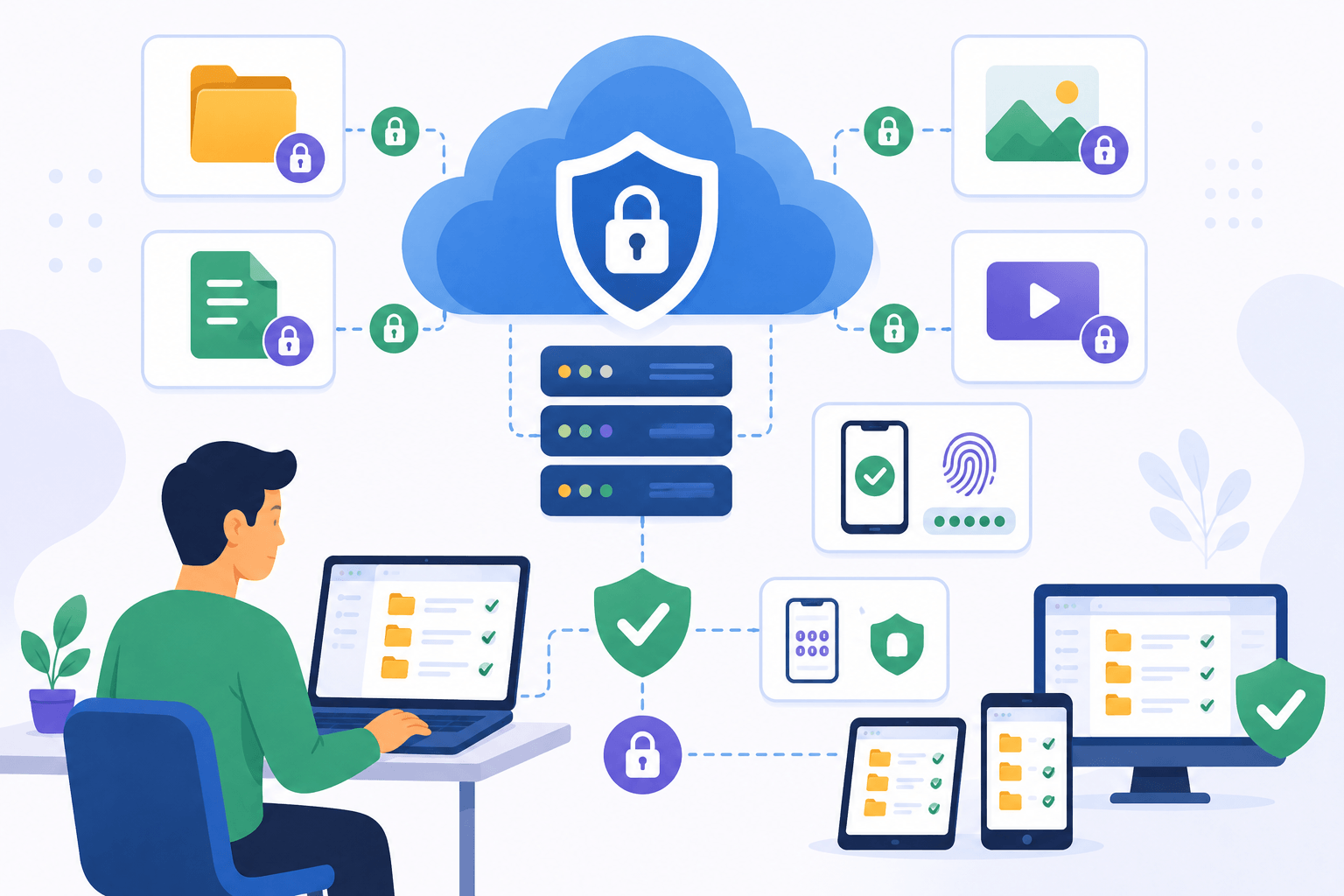
Cloud storage has become the default way to store photos, documents, videos, backups, and business files. Millions of people trust cloud services every day because they offer convenience, accessibility, and protection against hardware failures.
But an important question remains: Is your cloud storage actually secure?
The answer is more complicated than a simple yes or no. Most major cloud storage providers invest heavily in security, but your files are only as safe as the security measures used by both the provider and the account owner. Understanding how cloud security works can help you protect your data and avoid common mistakes that expose sensitive information.
How Cloud Storage Security Works
Modern cloud storage providers use multiple layers of protection to keep files secure.
When you upload a file, it is usually encrypted during transfer. This means the data is converted into unreadable code while traveling between your device and the cloud server. If someone intercepts the transmission, they cannot easily read the contents.
Most providers also encrypt files after they are stored. This is known as encryption at rest. Even if a storage server is compromised, encrypted data is significantly more difficult to access.
Additional security measures often include:
- Secure data centers
- Access controls
- Activity monitoring
- Backup systems
- Threat detection
- Multi-factor authentication
These protections make cloud storage significantly safer than many people assume.
The Biggest Threat Is Often the User
Many cloud storage breaches are not caused by hackers breaking into data centers.
Instead, they happen because users accidentally expose their own accounts.
Common examples include:
- Weak passwords
- Reused passwords
- Shared login credentials
- Public file links
- Phishing attacks
- Unsecured devices
For example, a cloud account protected by the password “123456” is far more vulnerable than the cloud platform itself.
Many successful cyberattacks target users rather than cloud infrastructure because human mistakes are often easier to exploit than modern security systems.
Understanding Encryption
Encryption is one of the most important cloud security features.
When data is encrypted, it is transformed into unreadable information that can only be accessed using the correct decryption key.
There are two main types of cloud encryption:
Provider-Managed Encryption
Most cloud services encrypt files automatically and manage encryption keys on behalf of users.
Advantages include:
- Easy setup
- Automatic protection
- No technical knowledge required
However, the provider technically has access to the encryption keys.
End-to-End Encryption
Some cloud services offer end-to-end encryption.
In this model, only the user controls the decryption key. Even the cloud provider cannot access the file contents.
Advantages include:
- Maximum privacy
- Strong protection against unauthorized access
The tradeoff is that losing the encryption key may permanently lock you out of your files.
For highly sensitive data, end-to-end encryption provides an additional layer of security.
Are Shared Files Safe?
File sharing is one of the most useful cloud storage features, but it can also introduce risks.
Many users create share links and forget about them later.
Potential risks include:
- Public links indexed by search engines
- Unauthorized downloads
- Accidental oversharing
- Expired project access remaining active
To improve security:
- Use password-protected links when available.
- Set expiration dates on shared links.
- Limit permissions to specific users.
- Regularly review active shared files.
Treat shared files with the same level of caution as any other online resource.
Why Two-Factor Authentication Matters
Even strong passwords can be stolen.
Two-factor authentication (2FA) adds a second verification step before account access is granted.
Examples include:
- Authentication apps
- SMS verification codes
- Hardware security keys
- Biometric authentication
With 2FA enabled, a stolen password alone is usually not enough to access an account.
This is one of the simplest and most effective ways to improve cloud storage security.
Every user storing important files should enable 2FA whenever possible.
Common Cloud Storage Security Myths
Many misconceptions create a false sense of security.
Myth 1: Cloud Storage Is Automatically Safe
Security features help, but users still need strong passwords, secure devices, and proper sharing practices.
Myth 2: Hackers Only Target Businesses
Personal accounts are frequently targeted because they contain valuable information such as personal documents, photos, and financial records.
Myth 3: Deleted Files Are Gone Forever
Many cloud services keep deleted files in recovery folders for days or weeks.
While this improves recovery options, it also means users should understand retention policies.
Myth 4: Free Services Are Always Less Secure
Many free cloud storage providers use the same encryption and security technologies as paid plans.
The difference is often storage limits and advanced business features rather than basic security.
Best Practices to Keep Your Cloud Storage Secure
Regardless of which cloud provider you use, following good security habits is essential.
Recommended practices include:
- Use strong, unique passwords.
- Enable two-factor authentication.
- Review file sharing settings regularly.
- Keep devices updated.
- Avoid logging in on public computers.
- Monitor account activity.
- Remove unused shared links.
- Back up critical files separately.
Security is most effective when multiple layers of protection work together.
Even the most secure cloud platform cannot fully protect an account with poor security habits.
How Secure Are Major Cloud Providers?
Major cloud storage providers invest billions of dollars in infrastructure, monitoring, and cybersecurity.
They typically offer:
- Advanced encryption
- Physical data center security
- Redundant backups
- Automated threat detection
- Continuous monitoring
For most users, the largest security risk is not the provider itself but account misuse, weak passwords, or phishing attacks.
This means improving personal security practices often provides greater protection than switching cloud providers.
Conclusion
Cloud storage is generally very secure when used correctly. Modern providers use encryption, monitoring systems, access controls, and multiple layers of protection to safeguard user data.
However, security does not stop with the provider. Strong passwords, two-factor authentication, careful file sharing, and good security habits are equally important. By understanding the risks and taking a few simple precautions, you can significantly reduce the chances of unauthorized access and keep your files protected in the cloud.
The safest cloud storage account is not simply the one with the best technology—it’s the one managed with strong security practices every day.