
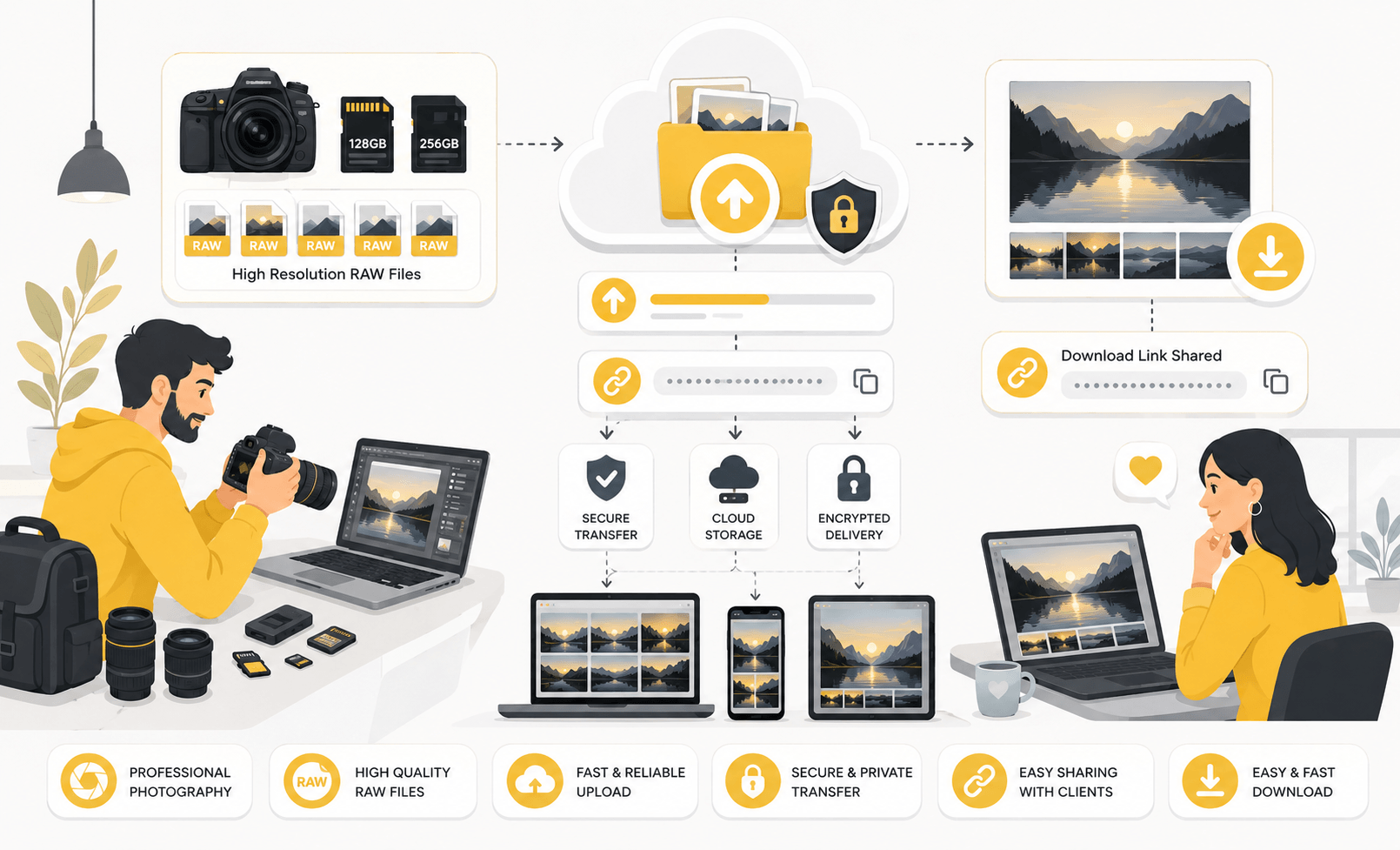
Photographers often work with extremely large files. A single RAW image can range from 20 MB to over 100 MB, and an entire photoshoot may contain several gigabytes of data. Because of these large file sizes, sending RAW photos through email is usually impossible.
Professional photographers rely on specialized file-sharing methods to deliver RAW files quickly, securely, and without quality loss. Choosing the right delivery method helps improve client experience while ensuring that valuable image files remain intact.
This guide explains how photographers transfer RAW files to clients and the best practices for efficient file delivery in 2025.
Why RAW Files Are Difficult to Share
RAW files contain uncompressed image data captured directly by the camera sensor.
Unlike JPG files, RAW images preserve:
- Maximum image quality
- Full color information
- Greater editing flexibility
- Better dynamic range
- Higher detail levels
The downside is file size.
A wedding photographer may generate hundreds or thousands of RAW images during a single event. Uploading and sharing such large collections requires tools that can handle significant amounts of data.
This is why professional photographers rarely rely on traditional email attachments.
Using Cloud Storage for RAW File Delivery
Cloud storage remains one of the most popular ways to share RAW files.
Benefits include:
- Large storage capacity
- Easy client access
- Long-term availability
- Secure sharing links
- Cross-device compatibility
Photographers can upload an entire project folder and generate a private download link for the client.
This approach works particularly well for:
- Wedding photography
- Commercial shoots
- Product photography
- Real estate photography
Cloud storage also allows photographers to update files without sending new download links.
Dedicated File Transfer Services
For one-time deliveries, file transfer services are often the preferred option.
Advantages include:
- Fast uploads
- Large file support
- Temporary storage
- Simple download process
- No folder management required
Many photographers use file transfer platforms when delivering completed projects because clients can download files directly without navigating complex folder structures.
This method is especially useful when transferring hundreds of RAW files at once.
Organizing Files Before Delivery
File organization plays an important role in client satisfaction.
Before uploading files, photographers should create a clear folder structure.
Example:
Client Name
- RAW Files
- Edited Photos
- High Resolution Exports
- Web Size Images
- Documentation
Well-organized folders help clients find files quickly and reduce confusion.
Professional organization also creates a stronger impression and reduces follow-up questions.
Compressing RAW Files into ZIP Archives
ZIP archives are commonly used when delivering large photo collections.
Benefits include:
- Easier downloads
- Cleaner organization
- Single-file delivery
- Optional password protection
- Reduced transfer complexity
While RAW files do not compress dramatically, packaging them into a ZIP archive simplifies the delivery process.
Many photographers create separate ZIP files for different categories of images.
For example:
- Ceremony RAW Files
- Reception RAW Files
- Portrait Session RAW Files
This approach makes large projects easier to manage.
Protecting Client Files
Photography projects often contain private or sensitive content.
Examples include:
- Wedding photographs
- Corporate events
- Family portraits
- Commercial product launches
To improve security, photographers may use:
- Password-protected archives
- Expiring download links
- Restricted access permissions
- Encrypted file-sharing services
These measures help prevent unauthorized downloads and protect client privacy.
Security becomes particularly important when handling commercial or confidential projects.
Managing Upload Speeds and Large Transfers
Uploading RAW files can take significant time depending on internet speed.
To improve transfer efficiency:
- Use a stable internet connection.
- Upload during low-traffic periods.
- Enable resumable uploads when available.
- Avoid heavy network activity during transfers.
- Verify uploads before sharing links.
Large projects sometimes require several hours to upload, making reliable transfer tools essential.
Planning uploads in advance helps prevent delivery delays.
Providing Download Instructions
Not every client is familiar with RAW files.
Including a simple guide can help clients understand:
- What RAW files are
- How to download them
- Which software opens them
- Recommended storage practices
A brief instruction document often prevents confusion and improves the overall delivery experience.
This is especially helpful for clients who primarily work with JPG images.
Common Mistakes Photographers Should Avoid
Many delivery problems stem from a few common mistakes.
Examples include:
- Sending files through email attachments
- Uploading without organization
- Sharing public links unintentionally
- Forgetting backup copies
- Using unclear file names
- Failing to test download links
Avoiding these issues creates a smoother experience for both photographers and clients.
Professional delivery methods are just as important as professional photography.
Conclusion
RAW files provide the highest image quality, but their large size requires specialized sharing methods. Cloud storage platforms, file transfer services, ZIP archives, and secure download links allow photographers to deliver files efficiently while preserving image quality.
By organizing files carefully, using secure sharing options, and providing clear download instructions, photographers can improve client satisfaction and streamline their delivery workflow. A reliable file transfer process ensures that clients receive their images quickly, safely, and without compromising quality.